Showing posts with label firewall support. Show all posts

Thursday, January 28, 2010

Firewall Configuration

firewall

A firewall is a device or a set of devices, which can be implemented in any of the hardware, software or both. All the messages passing through the firewall are verified to meet some level of security criteria.

It acts as a computer security barrier, which analyzes all the incoming and outgoing traffic to and from your computer or network based on the firewall settings. There are some common types of firewalls like: Application level gateway, Packet filtering firewall, Circuit gateways and Hybrid firewall.

Application level gateway firewall works on the application layer of the protocol stack. It works more intelligently than the packet filtering firewall. Packet filtering firewall examines the information contained in the header of the message packets.

There are some factors based on which the filters can be added or removed from the firewall:

1. IP address

2. Ports

3. Protocols

IP address: Every computer connected to Internet has a unique IP address. The firewall configuration can be customized to block any IP address so that your computer will not allow any kind of communication to take in between.

Ports: The firewall can be configured to allow or block messages from any port number.

Protocols: There are some commonly used protocols like IP, HTTP, TCP, FTP, and SMTP etc., which can be included in the firewall filter.

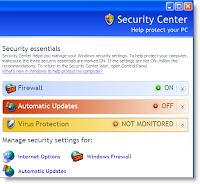
Some operating systems, such as Microsoft Windows offer built-in firewalls that are turned on by default to block all the incoming threats from Internet. There are several other third party firewalls available. You can choose any one the firewall to replace the default firewall in Windows.


Tuesday, April 28, 2009

Configuring Windows Firewall Group Policy

Contact your network administrator to determine if a Group Policy setting prevents programs and scenarios from running in a corporate environment. This post provides step by step technical support to configure Windows Group Policy.

Windows Firewall Group Policy settings are located in the following Group Policy Object Editor snap-in paths:
• Computer Configuration/Administrative Templates/Network/Network Connections/Windows Firewall
• Computer Configuration/Administrative Templates/Network/Network Connections/Windows Firewall/ Domain Profile
• Computer Configuration/Administrative Templates/Network/Network Connections/Windows Firewall/ Standard Profile

From these locations, you can configure the following Group Policy settings:
• Windows Firewall: Allow authenticated Internet Protocol security (IPsec) bypass
• Windows Firewall: Protect all network connections
• Windows Firewall: Do not allow exceptions
• Windows Firewall: Define program exceptions
• Windows Firewall: Allow local program exceptions
• Windows Firewall: Allow remote administration exception
• Windows Firewall: Allow file and print sharing exception
• Windows Firewall: Allow ICMP exceptions
• Windows Firewall: Allow Remote Desktop exception
• Windows Firewall: Allow Universal Plug and Plan (UpnP) framework exception
• Windows Firewall: Prohibit notifications
• Windows Firewall: Allow logging
• Windows Firewall: Prohibit unicast response to multicast or broadcast requests
• Windows Firewall: Define port exceptions
• Windows Firewall: Allow local port exceptions
